How to Withdraw Funds from ArihantPlus Using the Mobile App
You can easily transfer available funds from your ArihantPlus trading account to your registered bank account through the ArihantPlus mobile app. Follow the steps below to place a withdrawal request:
Open the ArihantPlus app and log in to your account.
Tap on the Funds section from the main menu.
Select Withdraw
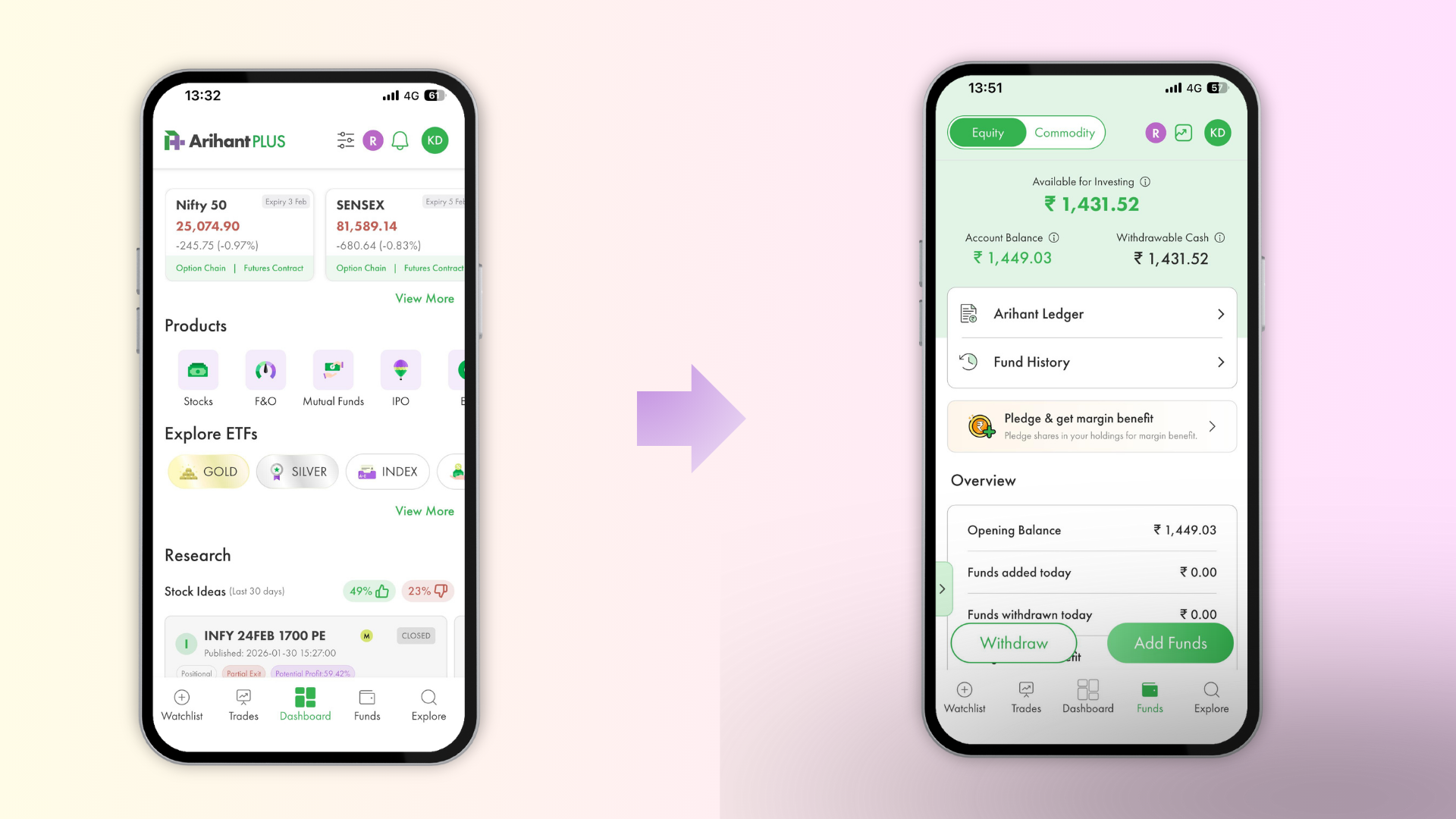
Enter the amount you wish to transfer to your registered bank account.
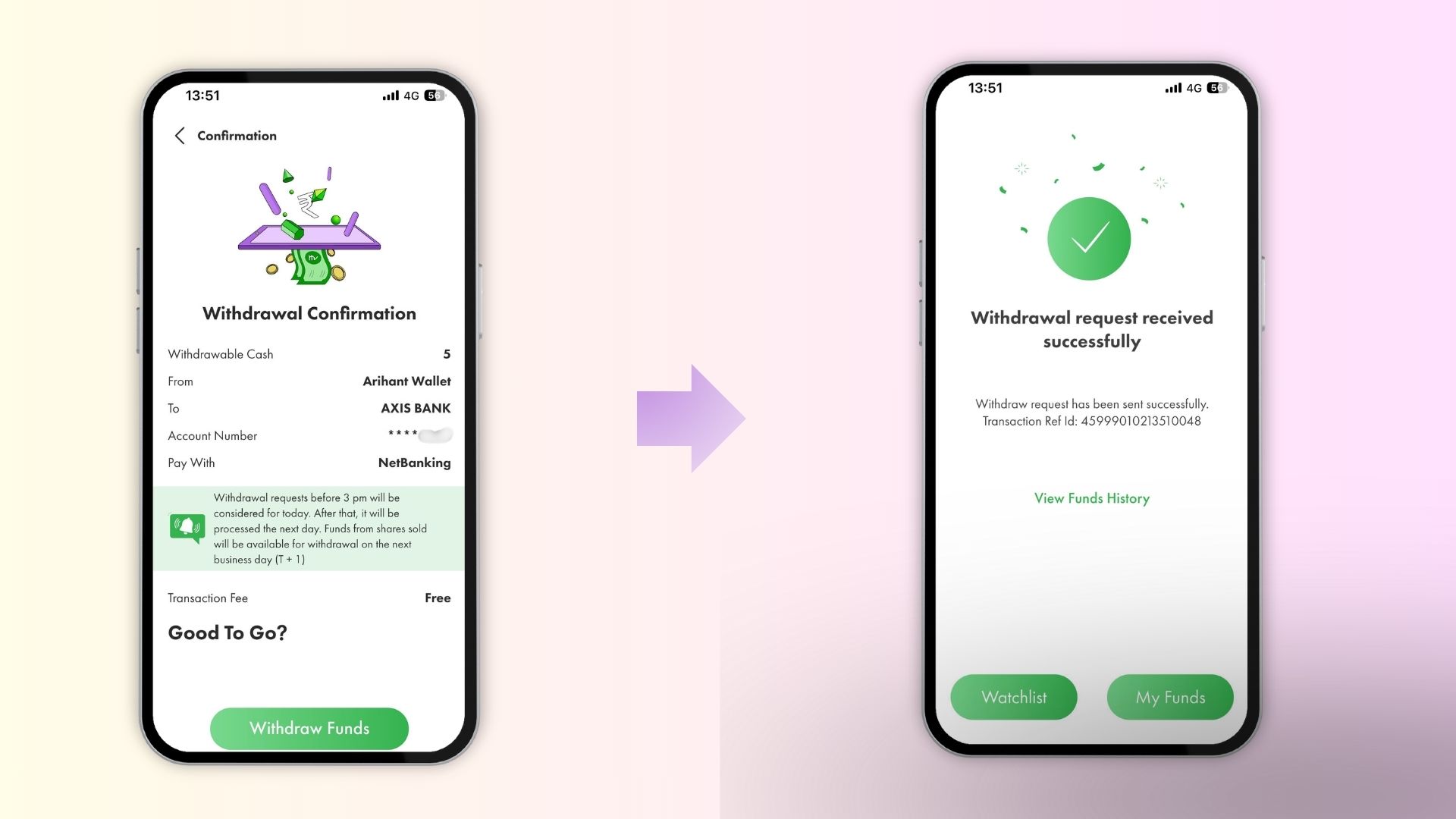
Tap Continue and then Confirm to submit your request.
Once submitted, a confirmation message will be displayed on the screen.
Did this help?
Thanks for your feedback!
Thanks for your feedback!
Thanks for your feedback!
Related Articles
- Can I use multiple UPI IDs for different IPO applications?
- Why is my UPI payment not reflected in my ArihantPlus account?
- Where exactly do I find option strategy inside the app?
- Does ArihantPlus call clients asking for personal, sensitive information or ask them to transfer funds to a specific bank account?