How to apply for an IPO through the ArihantPlus App?
Applying for an IPO through ArihantPlus is quick, paperless, and completely online. Follow these simple steps to place your IPO application:
Step-by-Step Process
- Open the ArihantPlus App and log in to your account.
- On the Dashboard, you can find IPO under Products. Tap on it
- You’ll see a list of open, upcoming, closed and listed IPOs.
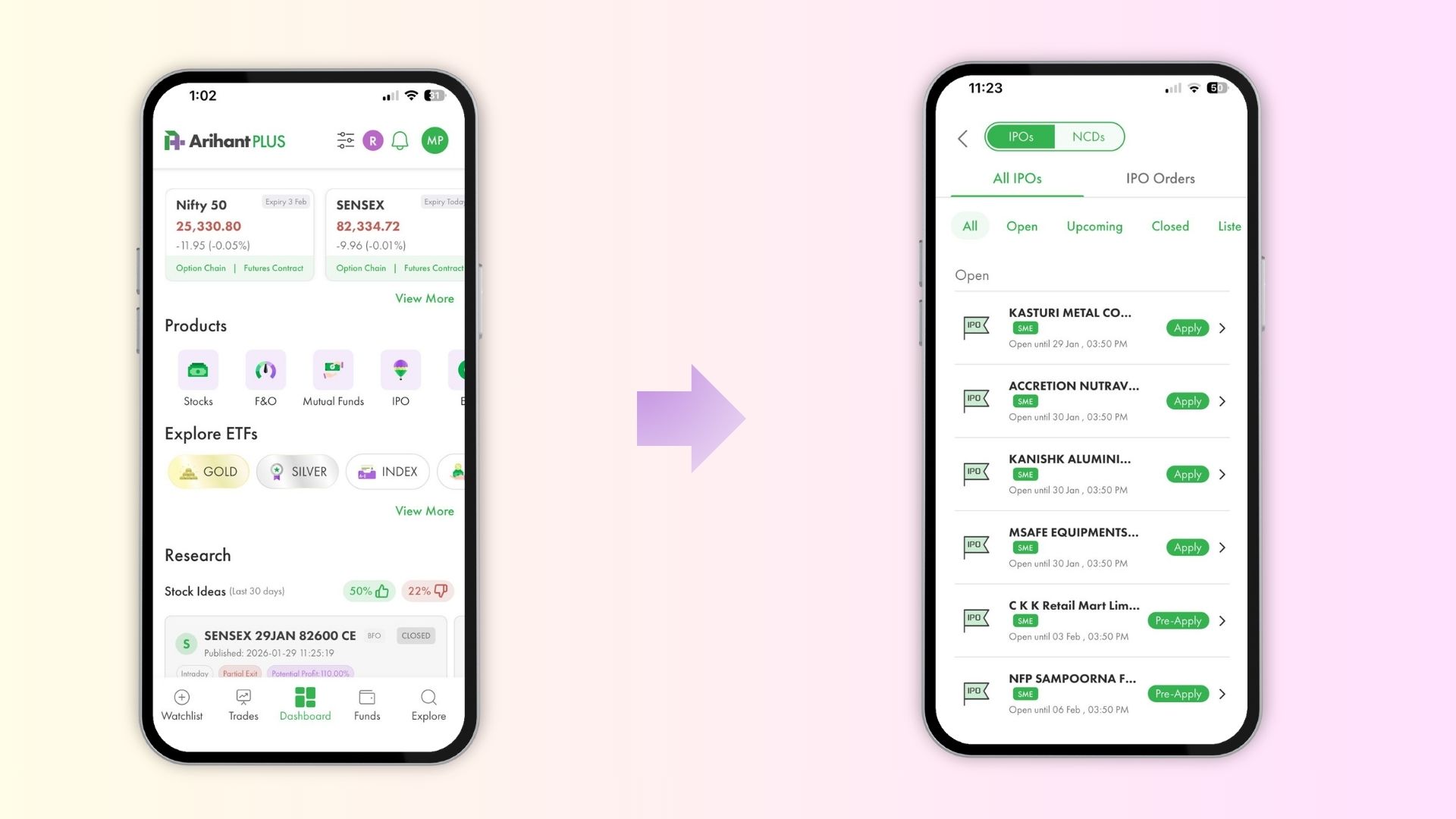
4. From the Open IPOs category, select the IPO you want to apply for and tap “Apply Now” or “Pre-Apply” (if early bidding is open).
5. Enter your bid quantity and price (you can also choose Cut-off Price for convenience).
6. Select your UPI ID (make sure it’s active and in your name).
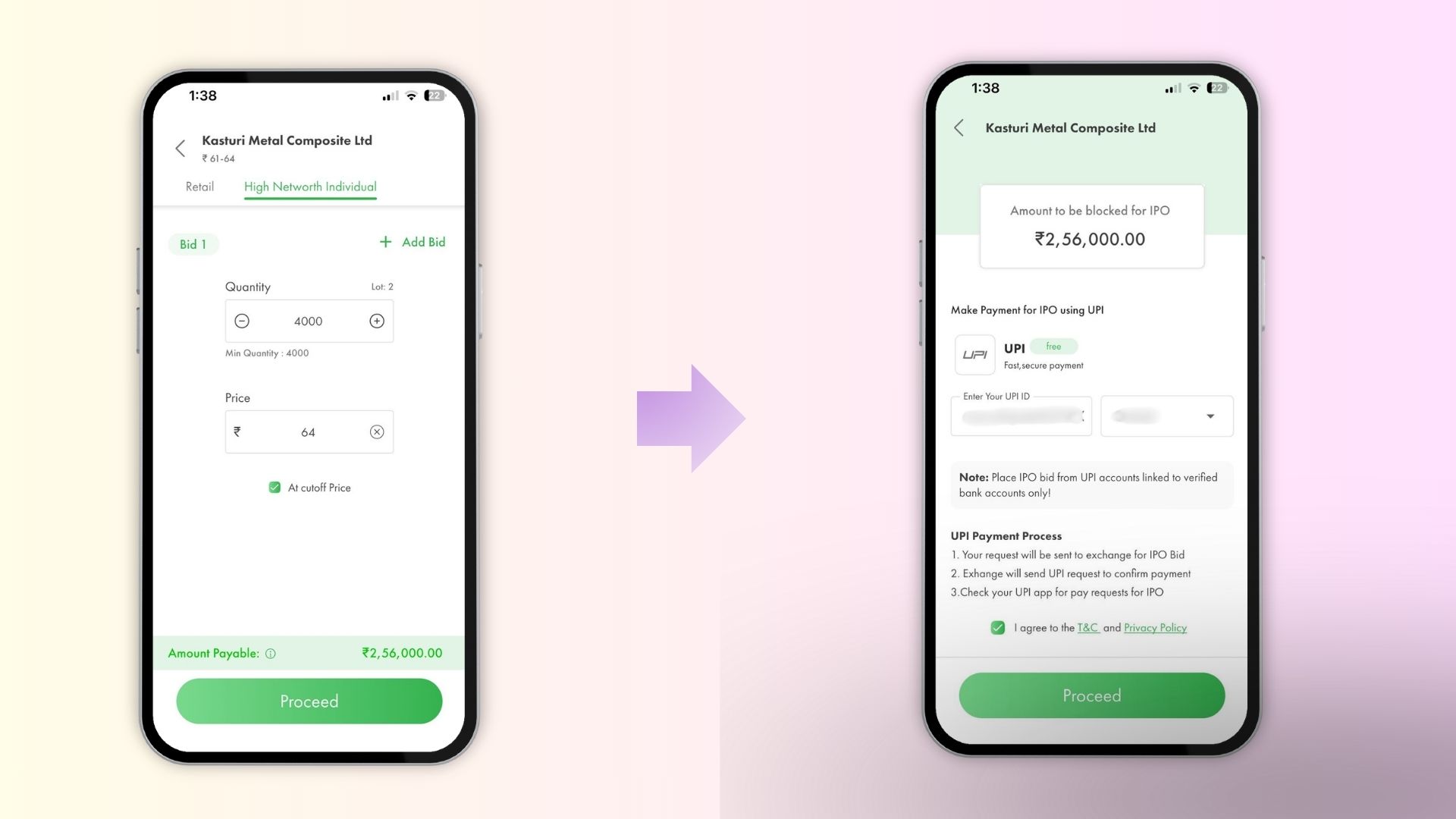
7. Tap submit application.
8. Now, you’ll receive a UPI mandate request from your payment app like BHIM, Paytm, PhonePe, etc. Approve the mandate to confirm your IPO application.
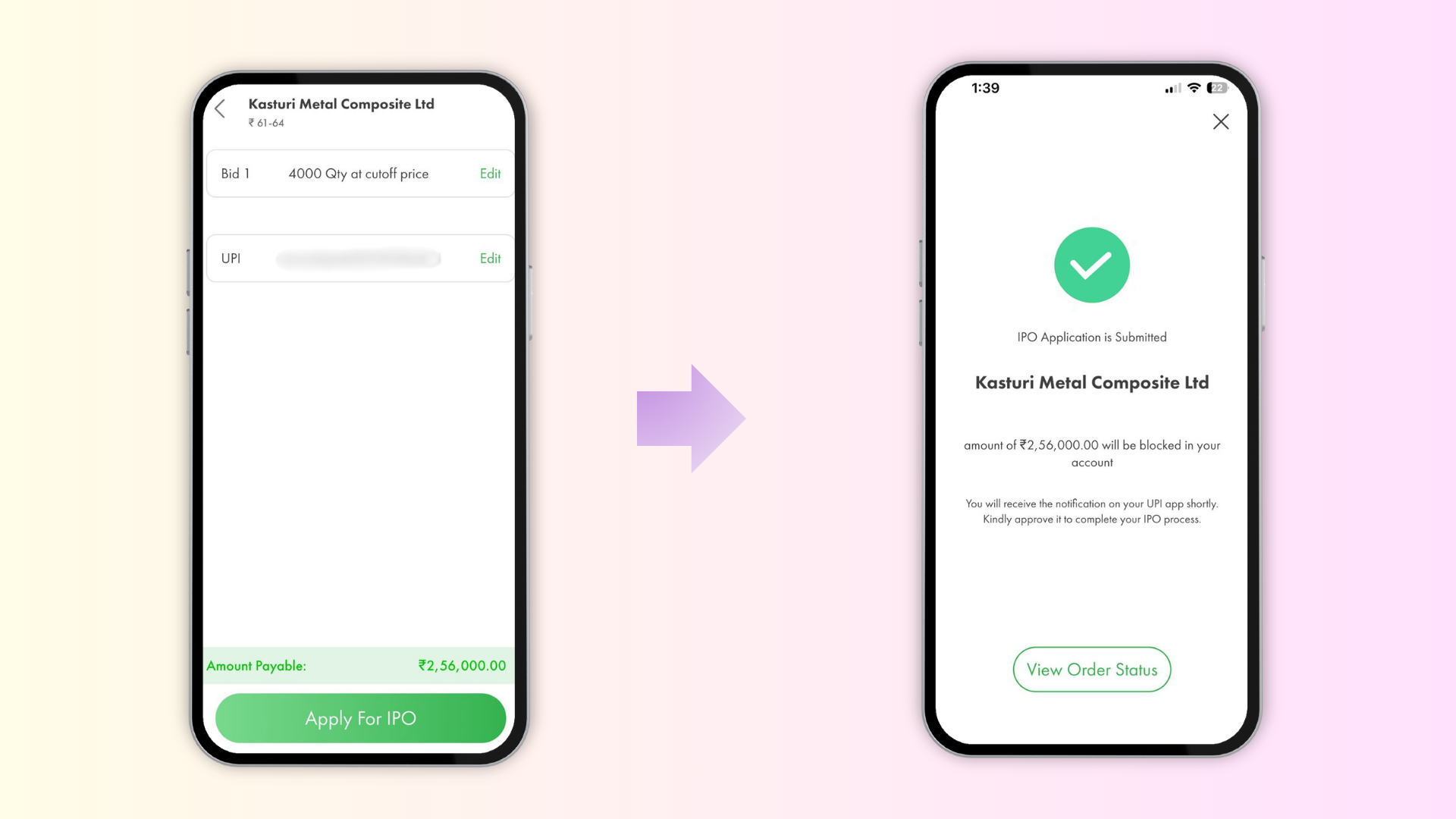
The application will be sent to the exchange, and you’ll be able to track its status under “My Applications” in the IPO section.
Note: IPO application process is the same on the ArihantPlus app as well the web trading platform.
Tips:
- Double-check your UPI ID before submitting.
- Apply early using the Pre-Apply option to avoid last-minute rush.
- Make sure you have sufficient balance in your linked bank account before approving the mandate.
Related Articles